X (Twitter) Post Templates
464 editable X (Twitter) post templates, every one rendered at 1200 x 675 (16:9), the size X (Twitter) wants. Wide is what X shows inline without cropping. It is also the shape a YouTube thumbnail needs, so one design covers both.
A X (Twitter) post made from a template takes up to 4 images at 5 MB each and a caption of up to 280 characters. Every link counts as 23 of those characters, however long it is.
By Tayyab, Founder
X (Twitter) at 16:9: 30 of 30 layouts hold. We render every layout at 16:9 and check for clipping. Nothing is dropped here. Full table.
The same shape works for YouTube thumbnails, LinkedIn link cards, so anything here covers those too.
Showing 40 of 464 designs, 8 per goal, so the page stays quick on a phone. The audience galleries carry the full set.
Announce
Launches, drops, news and anything that starts with "we just". Showing 8 of 76.
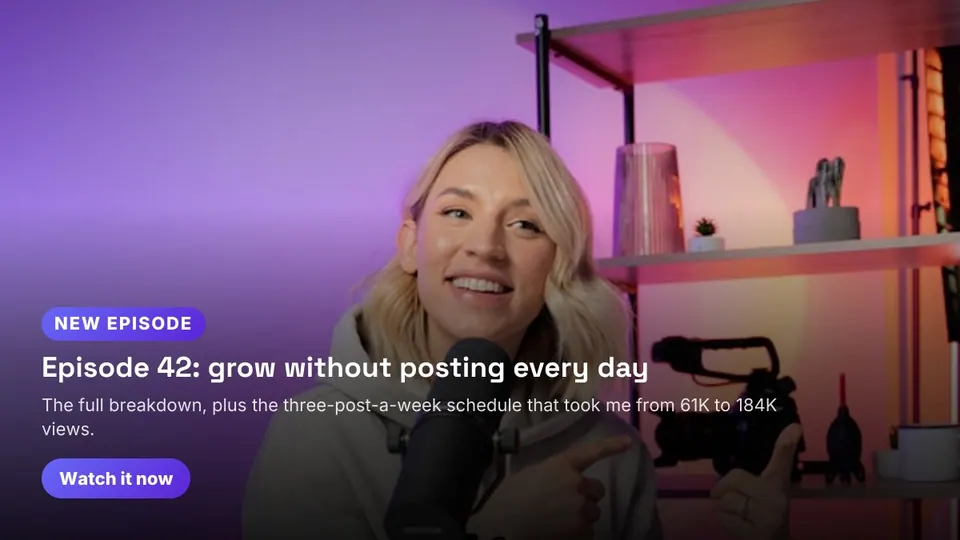
New episode drop
Announce the thing you just published, over a photo of you making it.
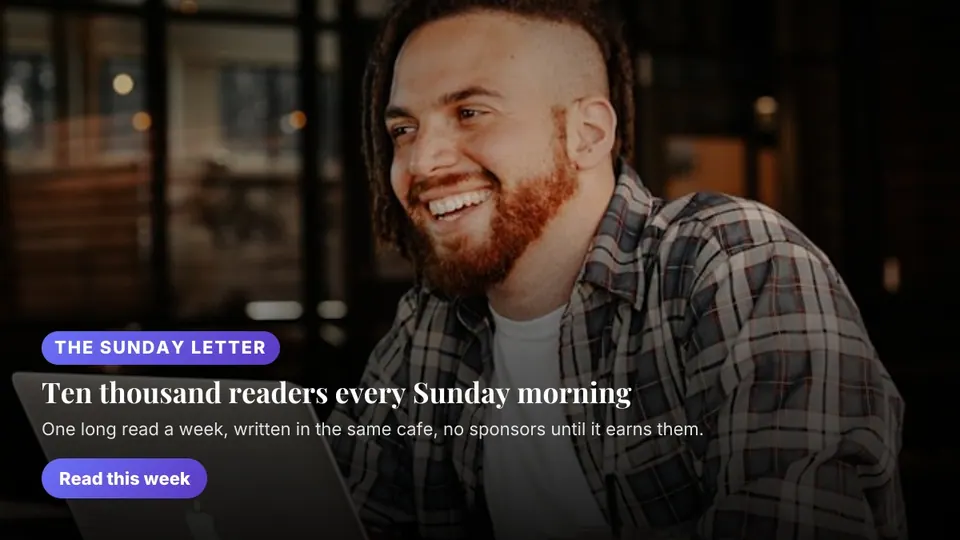
Newsletter milestone
A round number is a reason to post. Say it over a photo of the work.
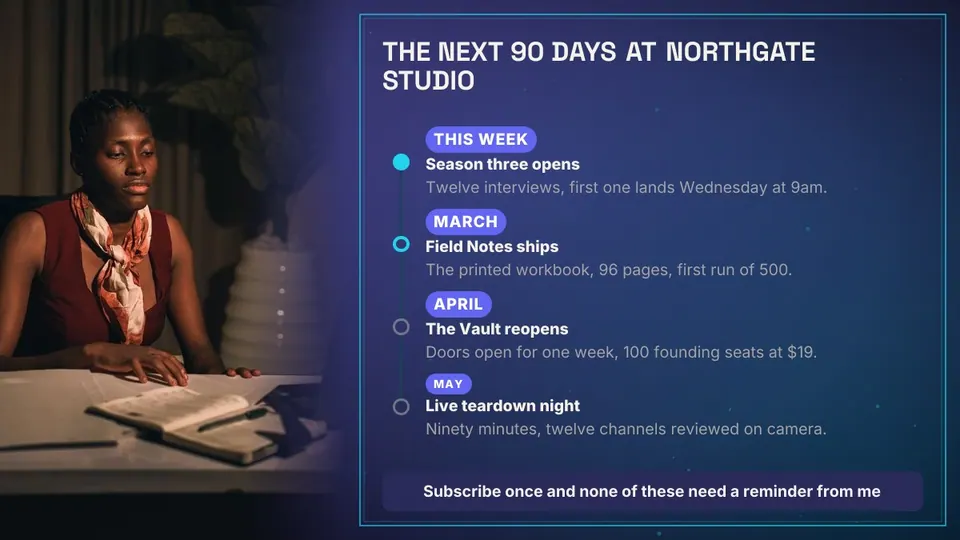
What is coming next
Publish the plan. People stay subscribed for the thing they are waiting on.
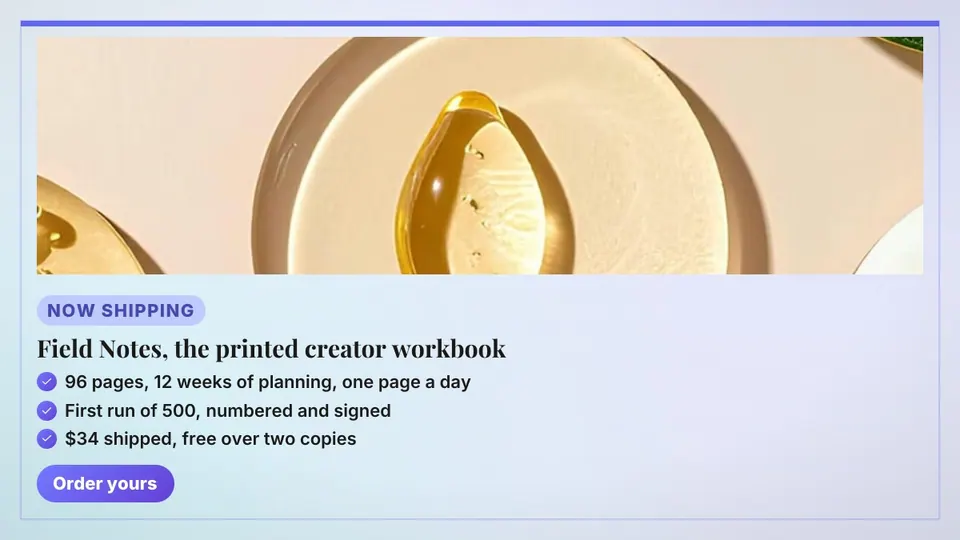
Physical product drop
The product, framed, with the three lines that make people order it.
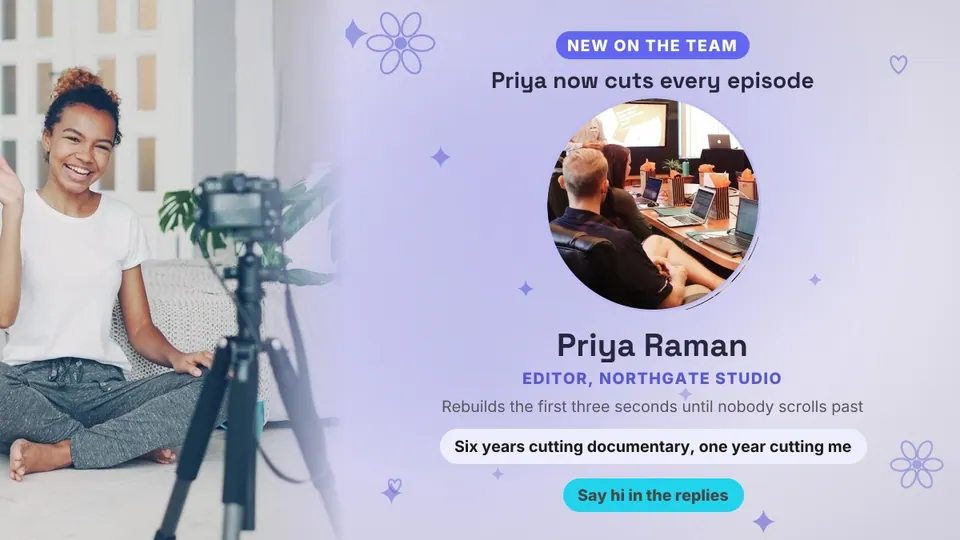
Meet the person behind it
Introducing the editor or producer makes a one-person brand feel real.
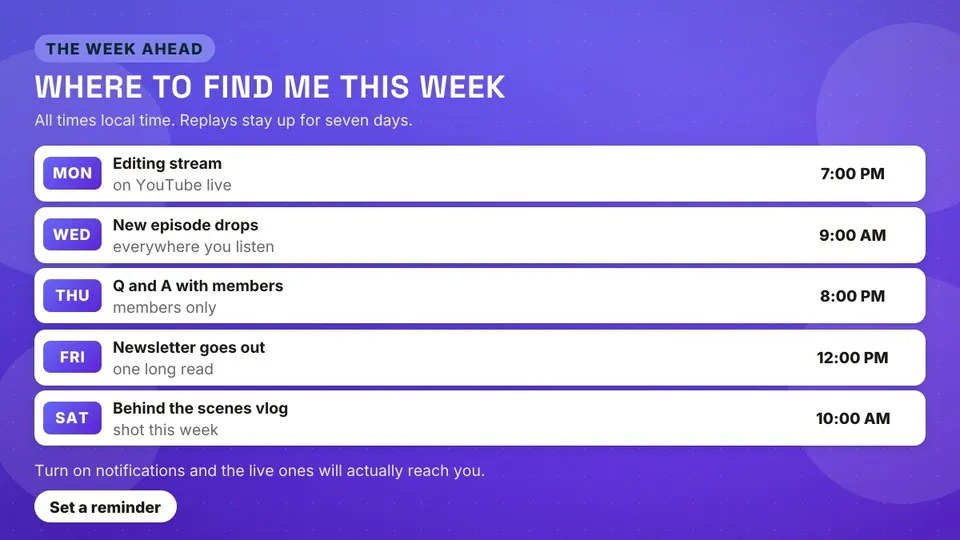
Live and upload week
Tells people when to show up, which is the whole trick with live content.
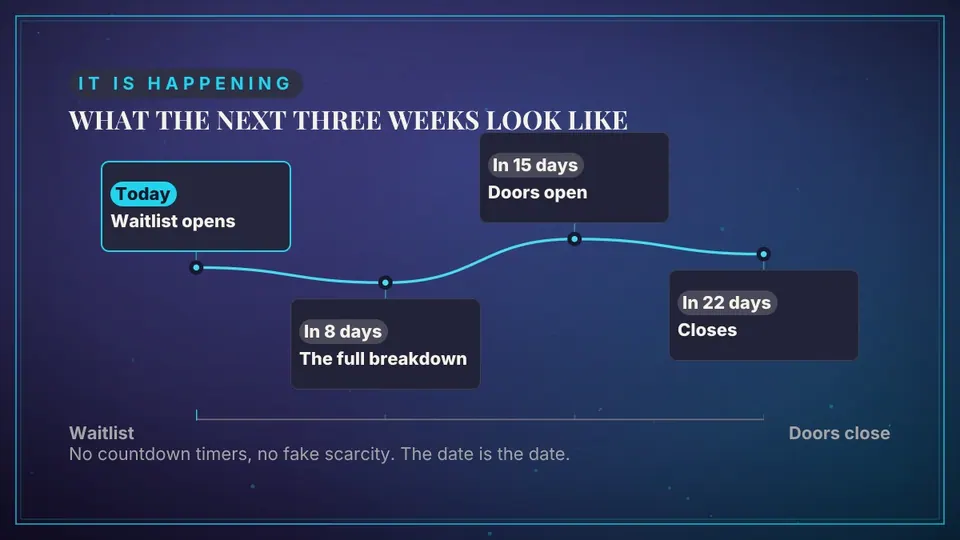
Launch countdown
Build anticipation with dated milestones instead of vague teasing.
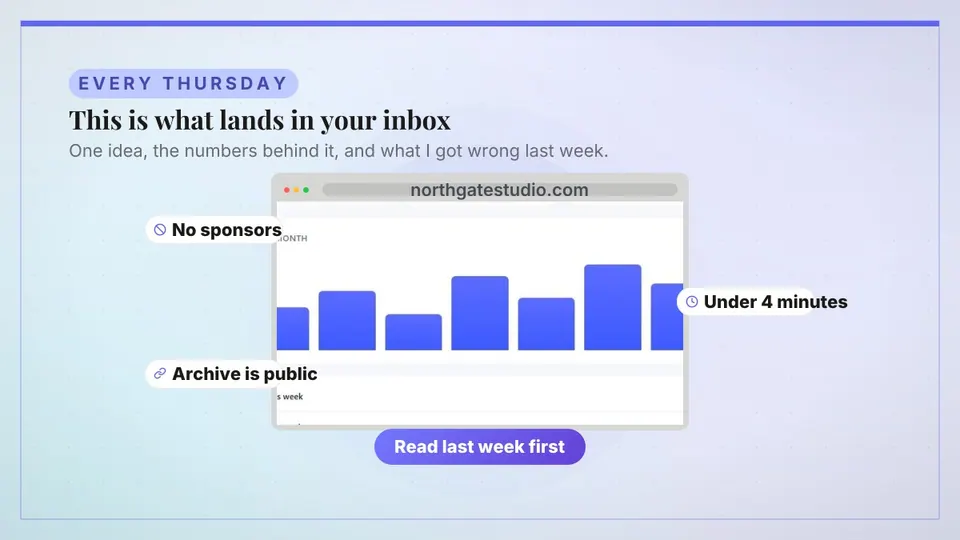
The newsletter, shown
Show what people get before they subscribe, framed in a browser.
Educate
Teach the thing you get asked about constantly. Showing 8 of 169.
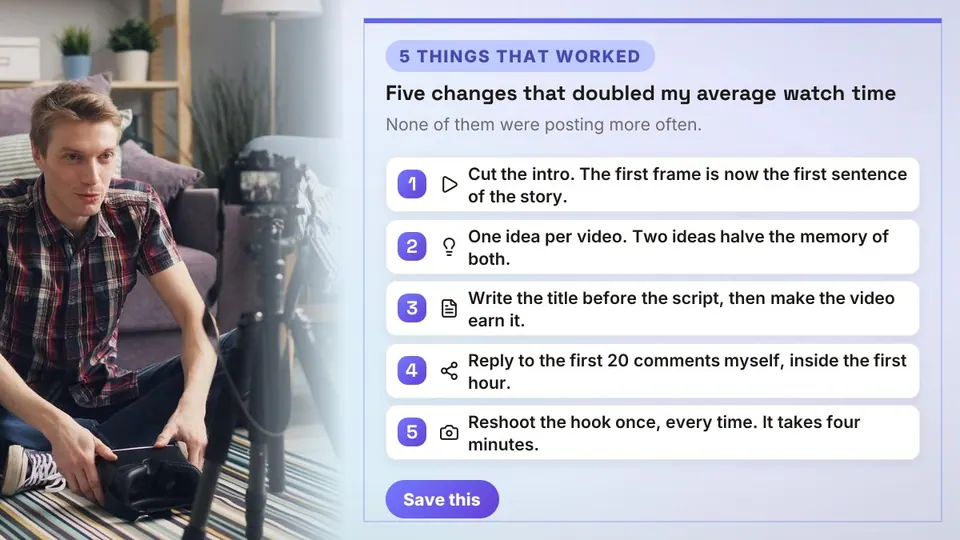
What moved the numbers
Five specific things that worked for you, saved and shared by people who want them.
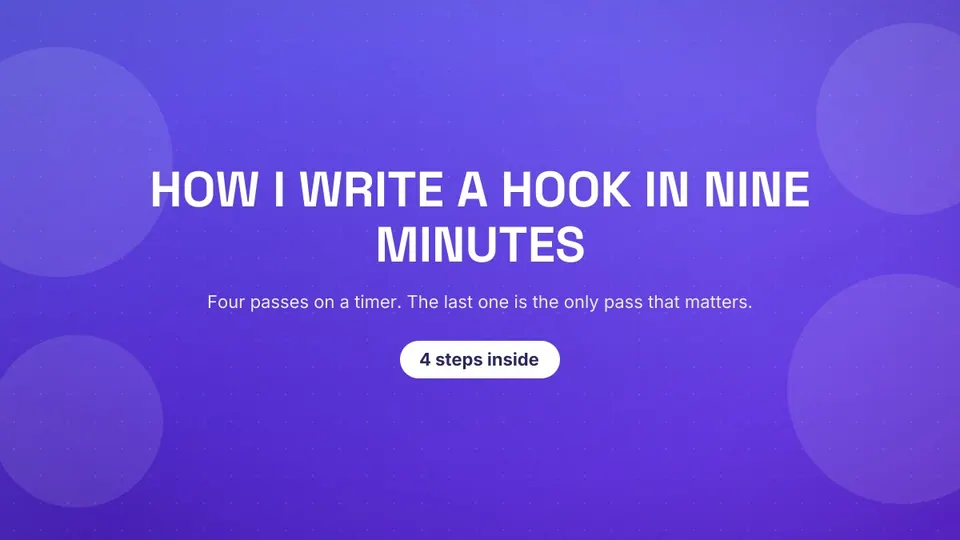
How I write a hook
A repeatable process, in steps. The most saved kind of post there is.
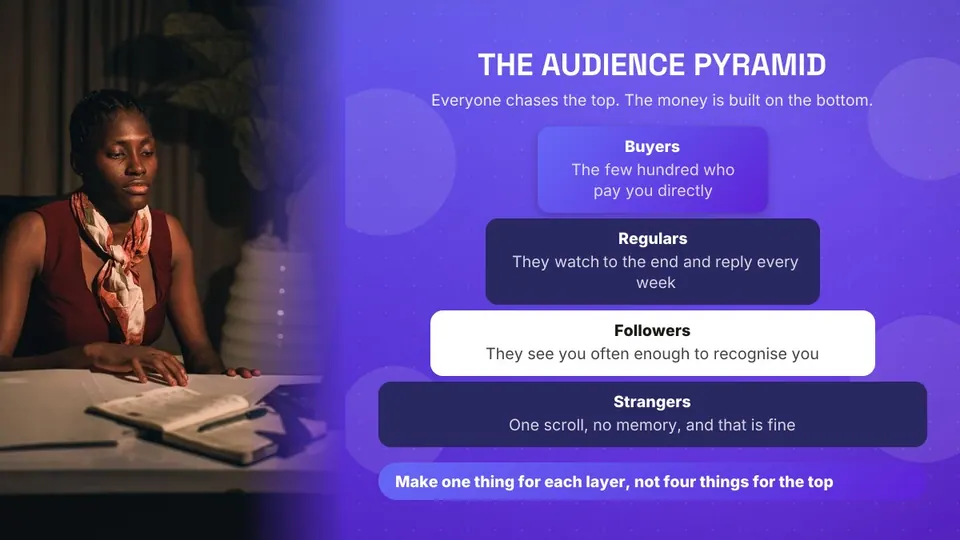
Audience pyramid
Name your own model. A framework with your name on it gets quoted back to you.
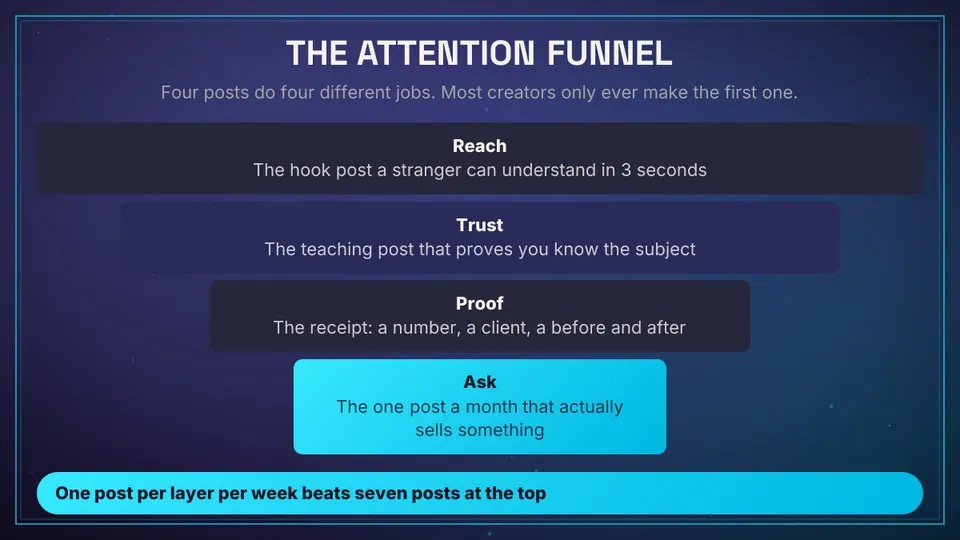
The attention funnel
Four posts doing four different jobs, drawn so the gap is obvious.
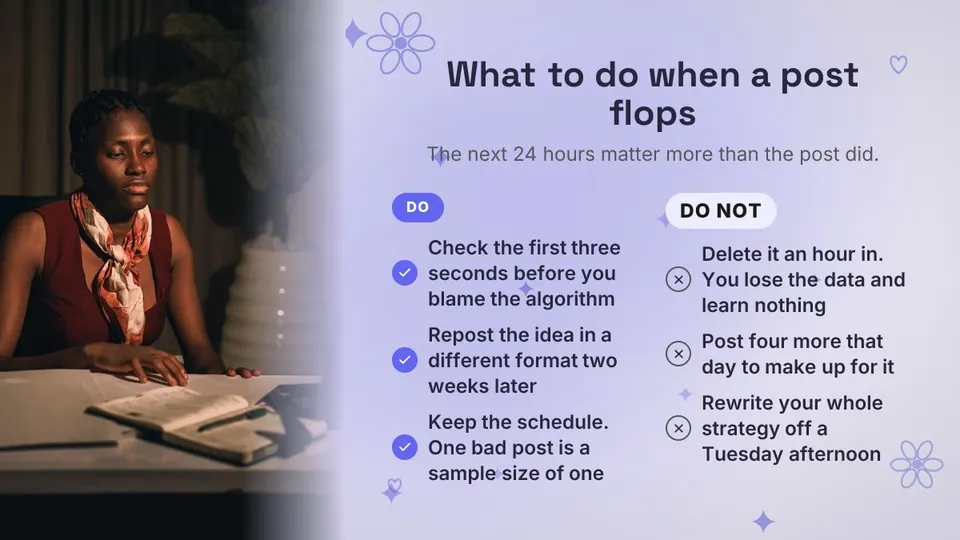
When a post flops
A do and do not split on something every creator has felt this week.
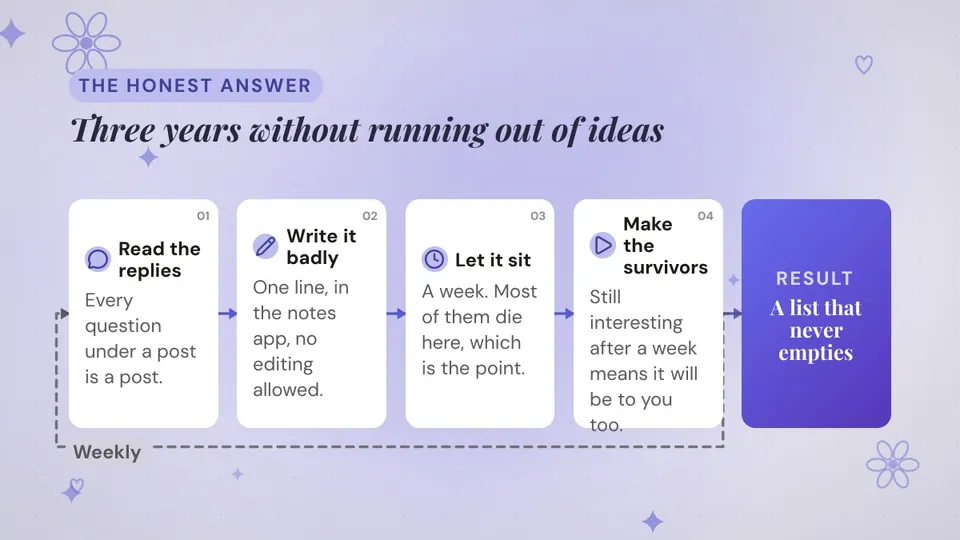
Where ideas come from
Turn "how do you never run out of ideas" into a repeatable loop.
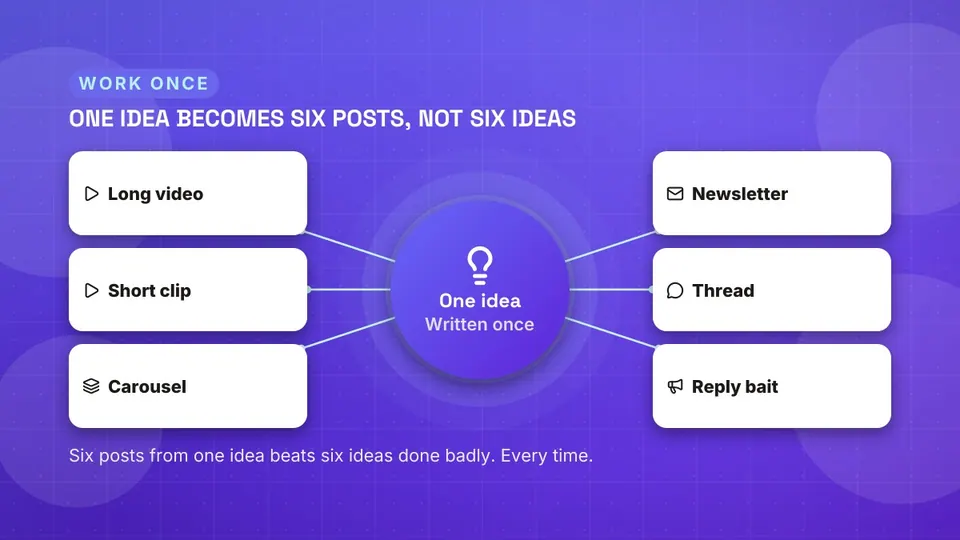
One idea, six posts
The repurposing map: a single hub idea and everything it becomes.
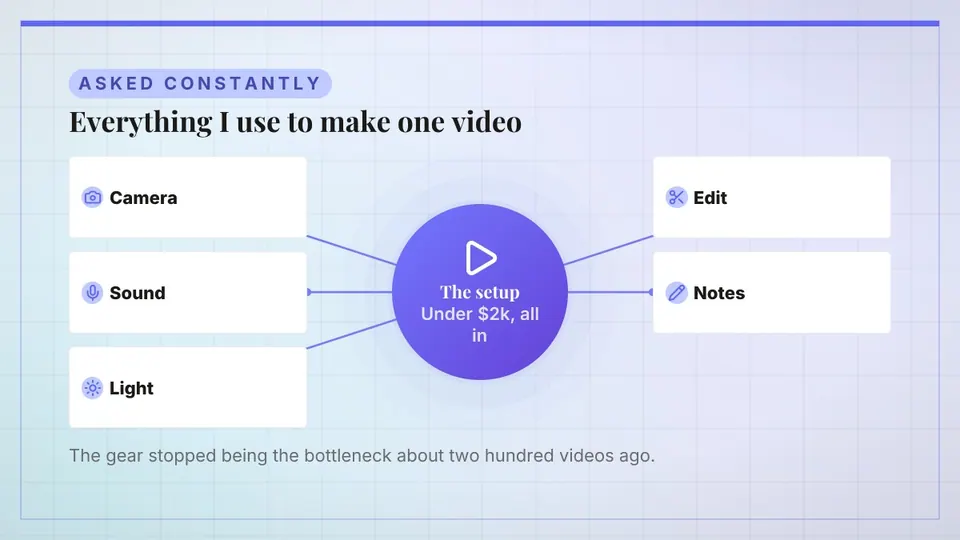
The tools I actually use
A gear post that reads as a map rather than an affiliate list.
Proof
Results, reviews and before-and-afters that answer "does it work". Showing 8 of 84.
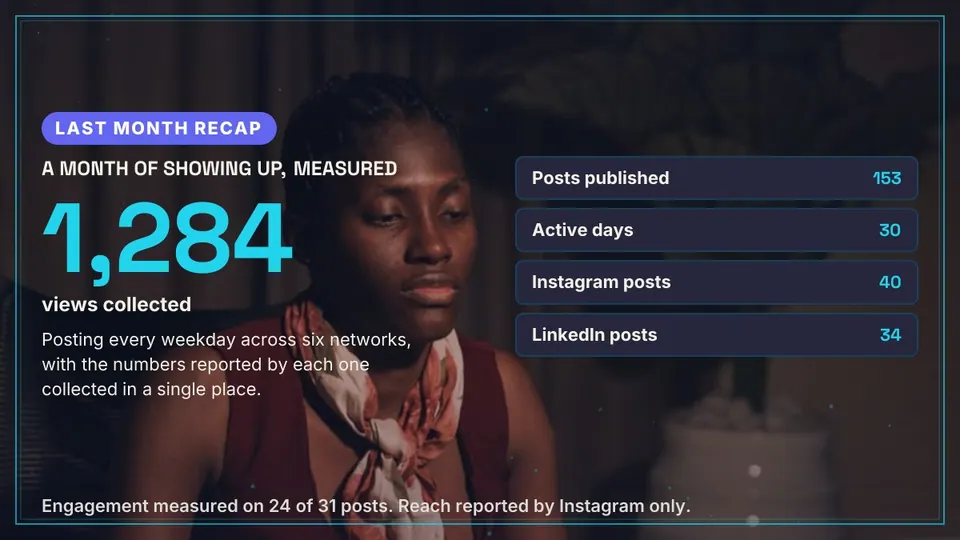
Month in numbers: the channel
Your month as one honest card: output, platforms, and what was actually measured.
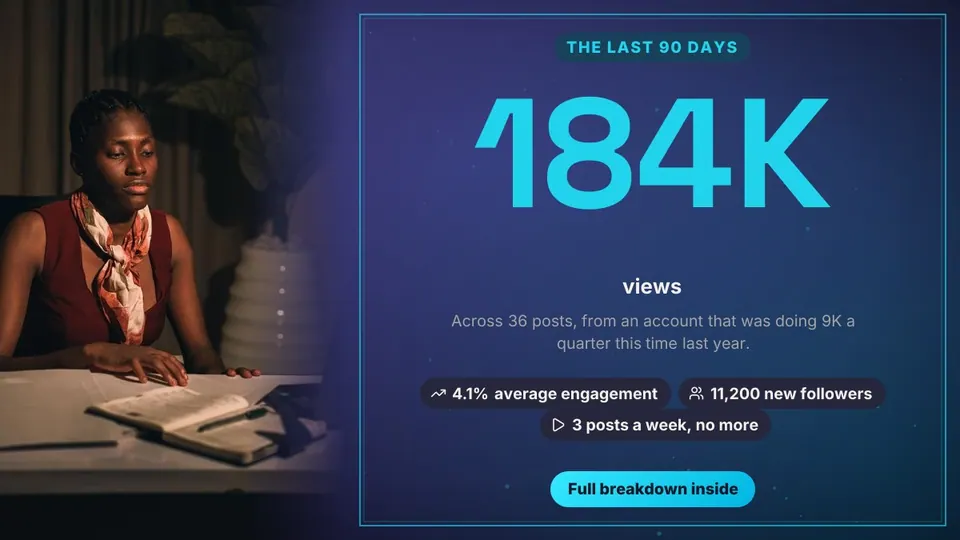
Audience milestone
One number, big enough to be the whole post. Good for a milestone or a media kit.
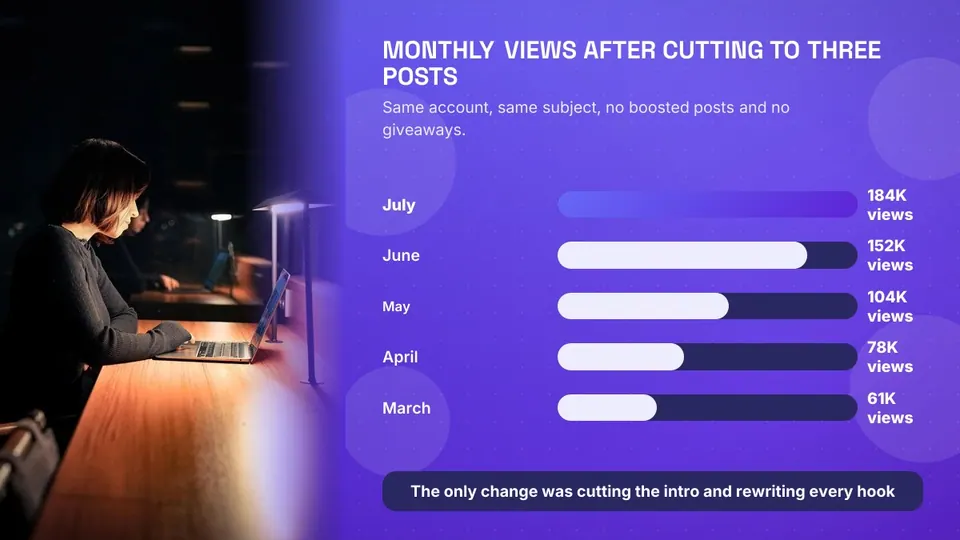
Growth chart
Five months of real numbers as a chart. Nothing proves a claim like a bar.
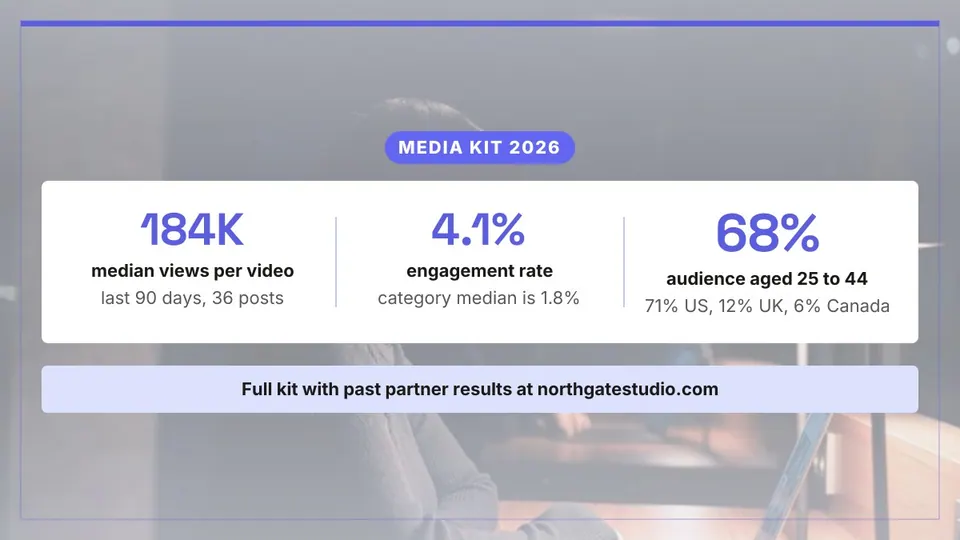
Media kit numbers
The three numbers a brand asks for, answered before they email you.
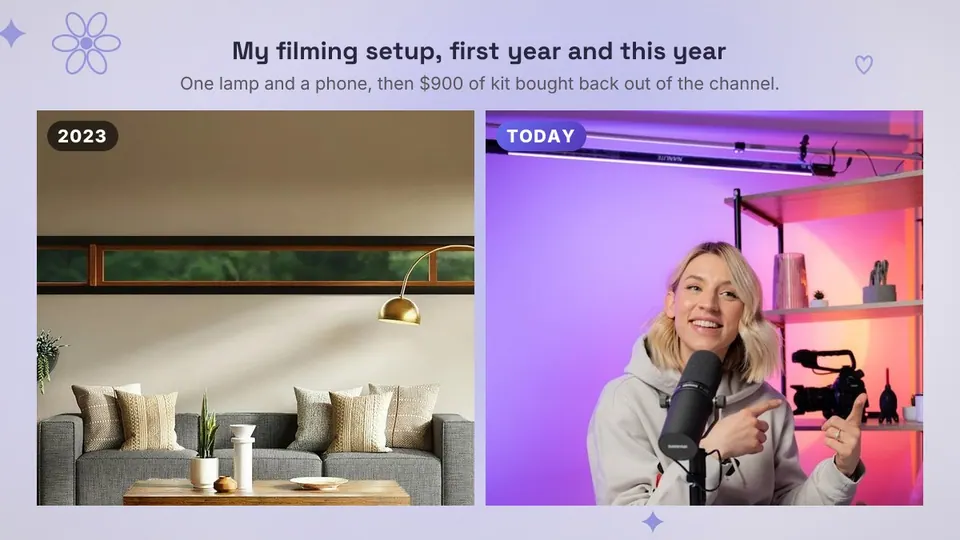
Setup then and now
Two photos, three years apart. The most relatable proof a creator has.
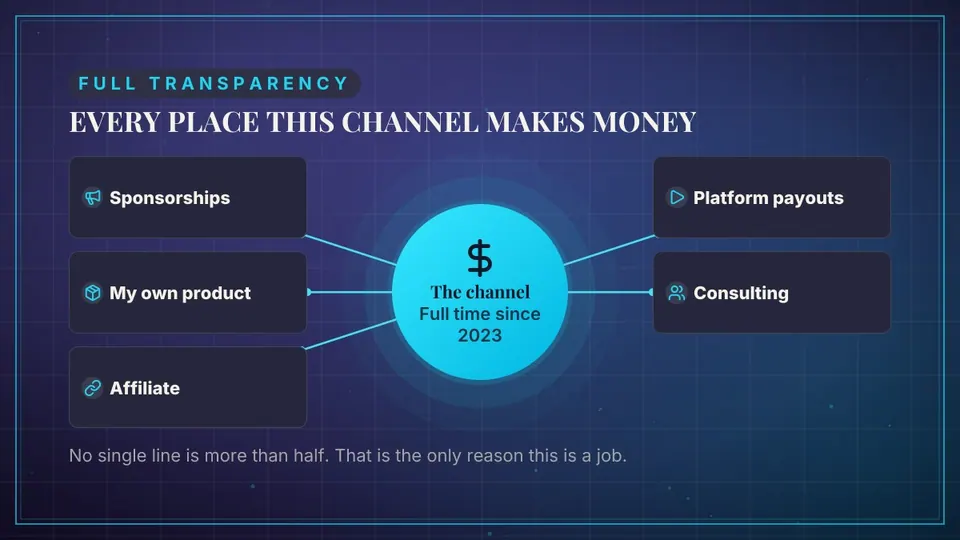
Where the income comes from
A transparency post that shows the whole business, not just the sponsorships.
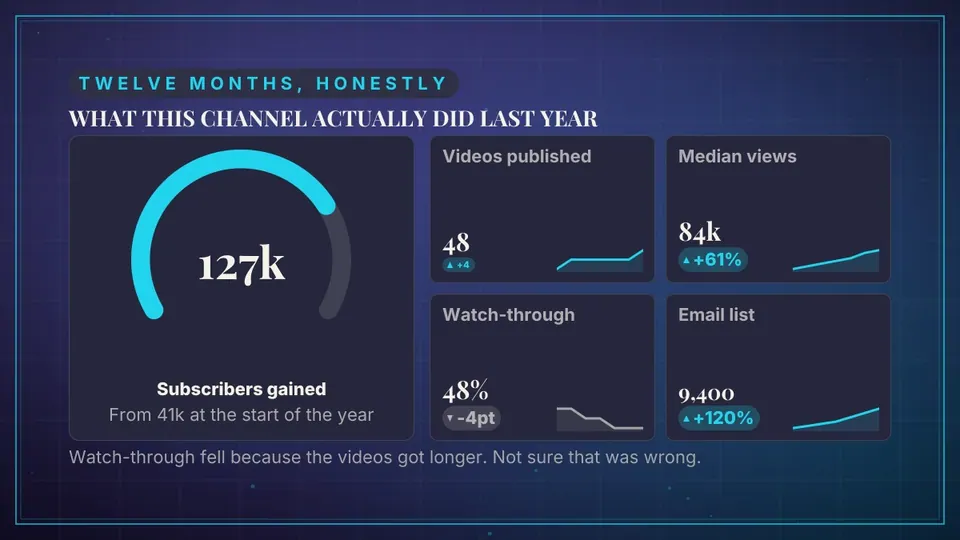
The year in numbers
A transparency dashboard with the bad number deliberately left in.
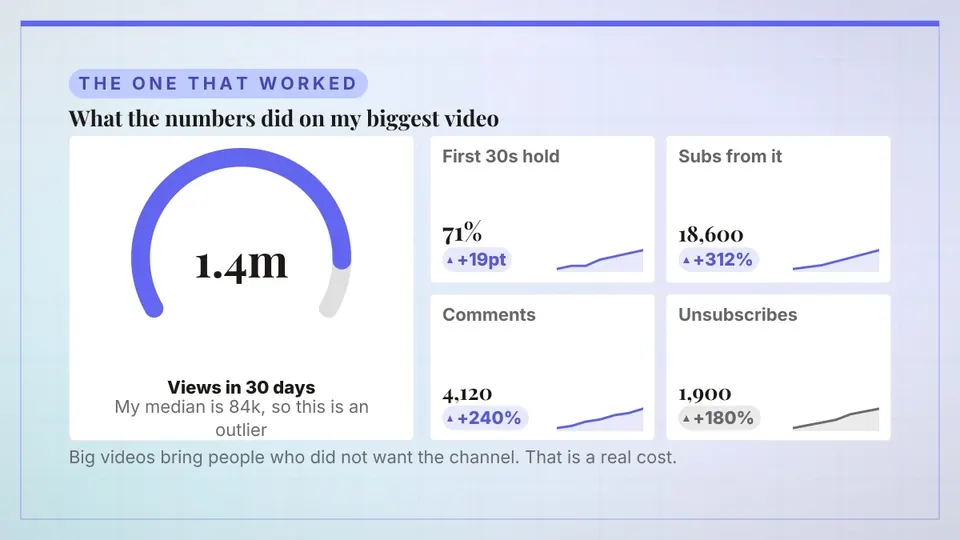
One video, broken down
Post-mortem a single upload so the audience learns the mechanics with you.
Promote
Offers, pricing and the reason to act this week. Showing 8 of 65.
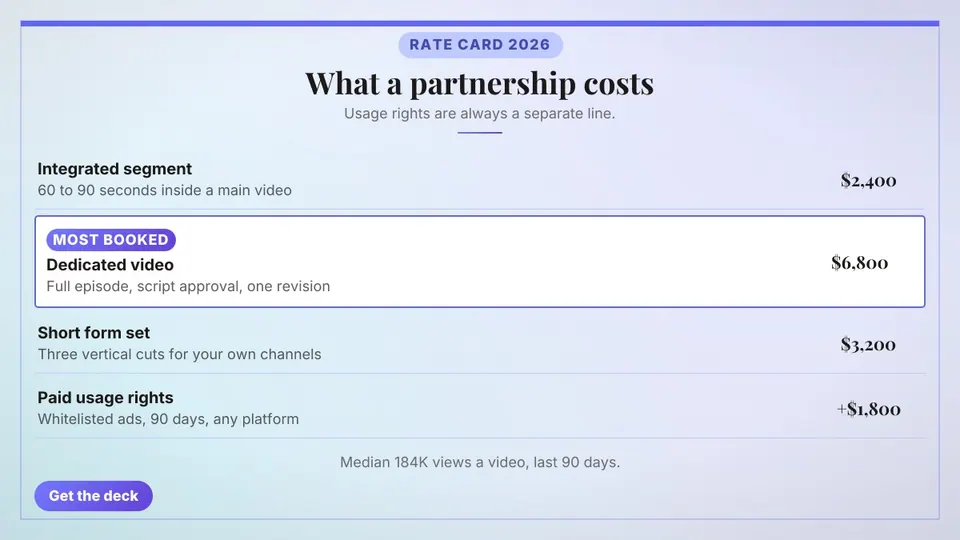
Sponsorship rate card
Publish the rates. It ends the "what is your budget" email forever.
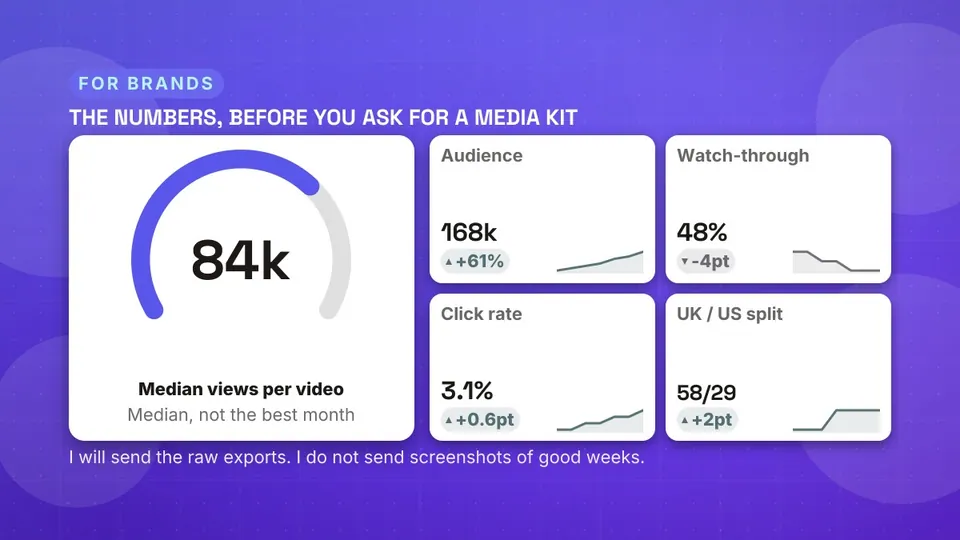
Media kit dashboard
The one image a brand needs before a first call.
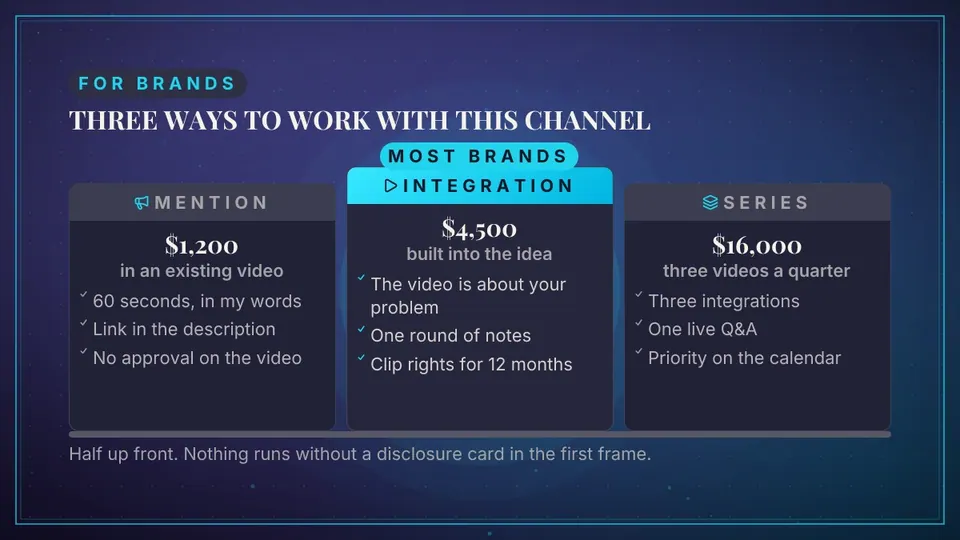
Ways to work with me
Sponsorship tiers as columns with one recommended, so brands self-select.
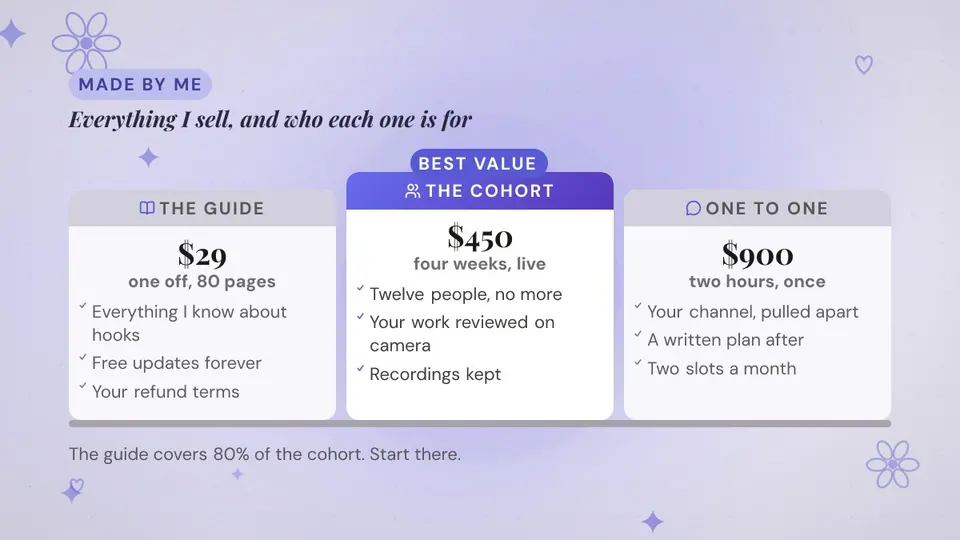
What I sell
Your own products, priced side by side, with the middle one recommended.
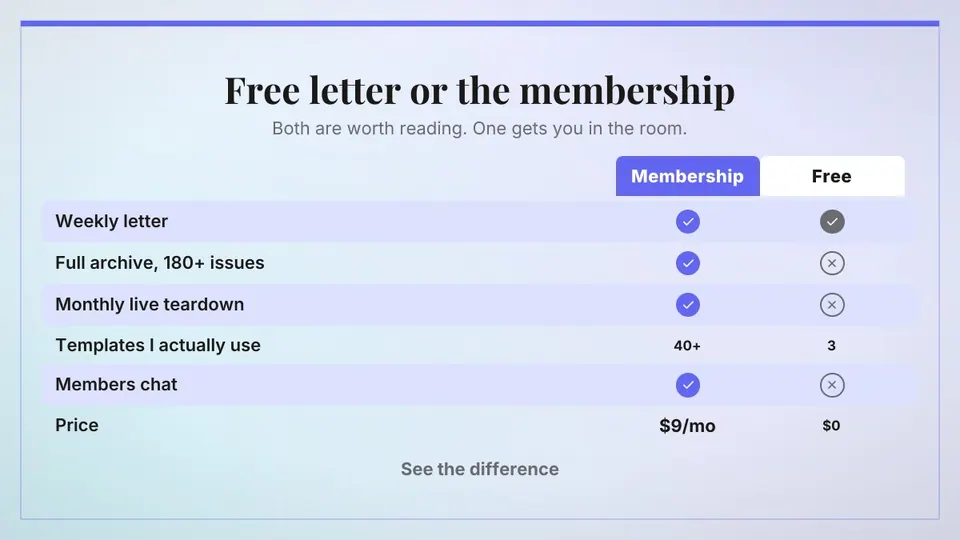
Free list vs paid membership
Shows what the paid tier adds, line by line, so the upgrade sells itself.
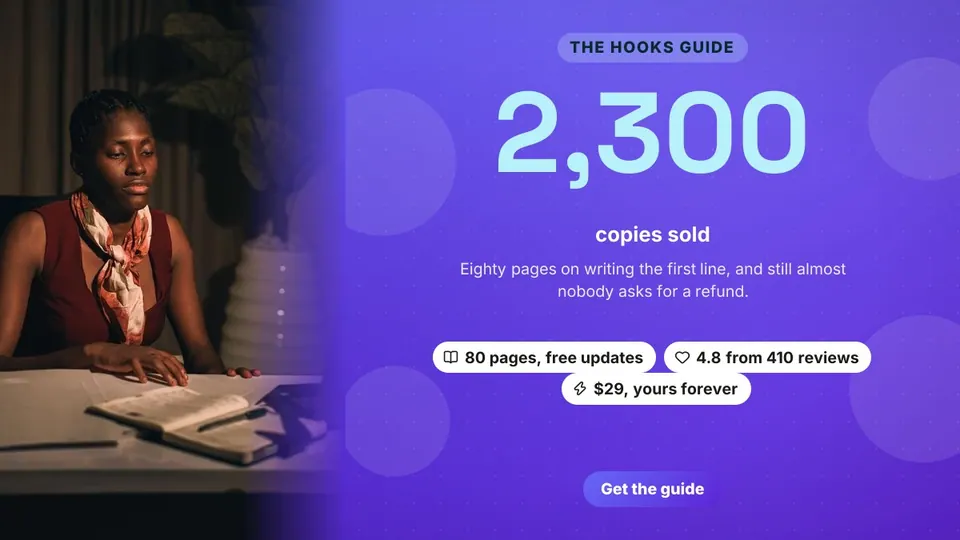
Product sales milestone
One sales number sells your product better than another feature list.
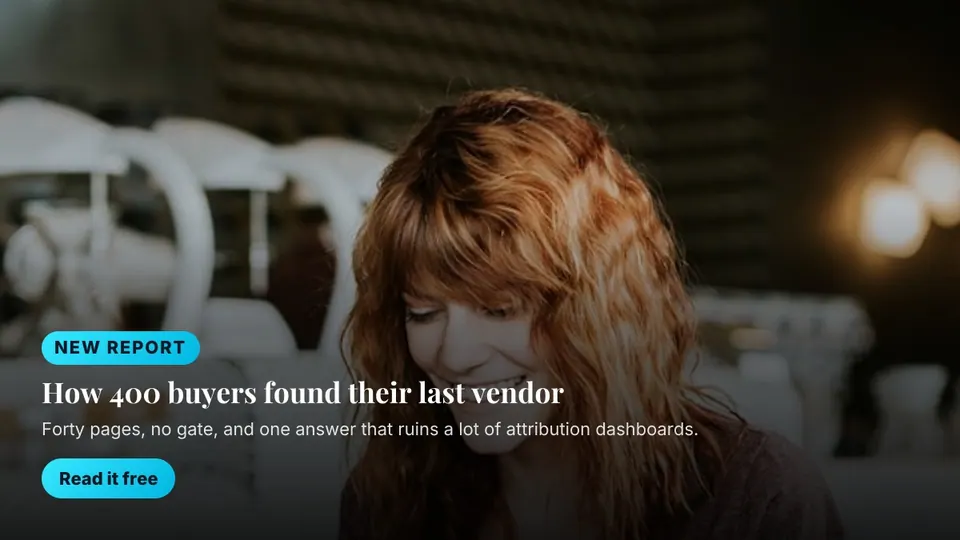
Report or resource drop
A photo-led promo for the report, template or resource you want downloaded.
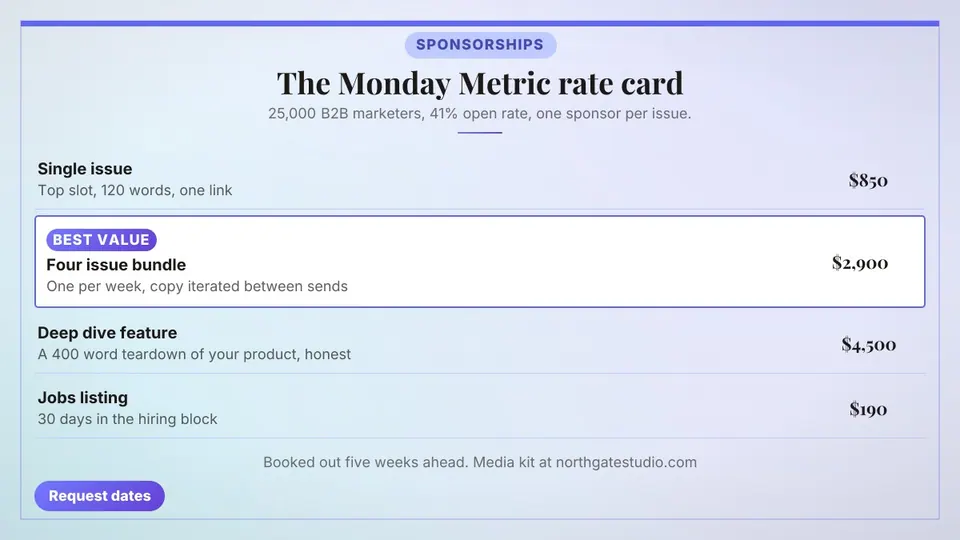
Sponsorship rate card
Put the rate card in public. Half the sponsor emails are just this question.
Convert
The post that asks for the booking, the trial or the reply. Showing 8 of 70.
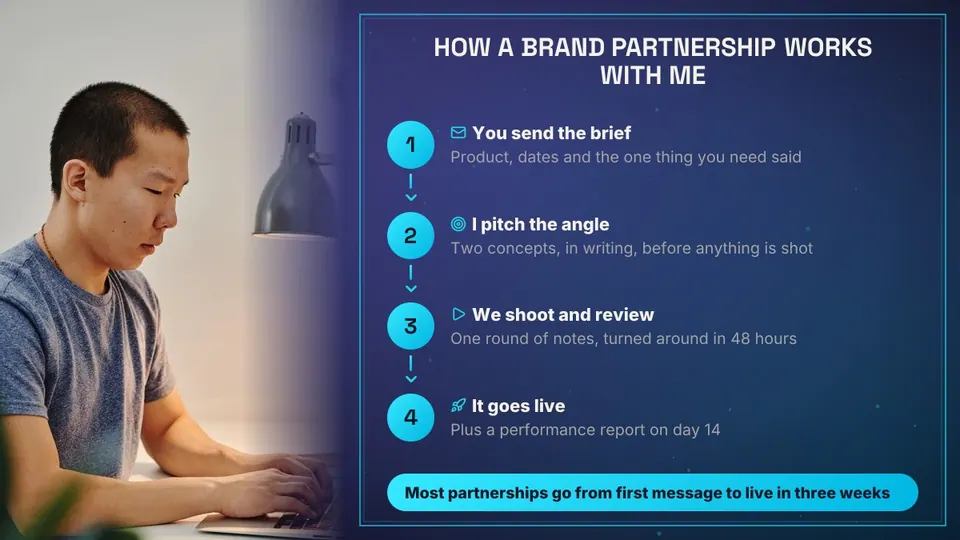
How a partnership works
Removes the friction from a brand DM by showing what happens after it.
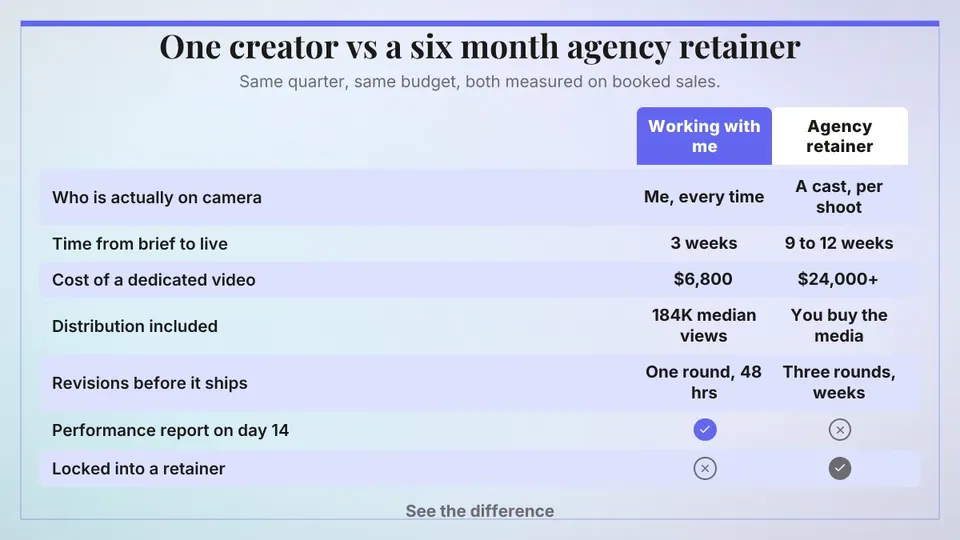
Me vs an agency
Line the two options up and let the table close it for you.
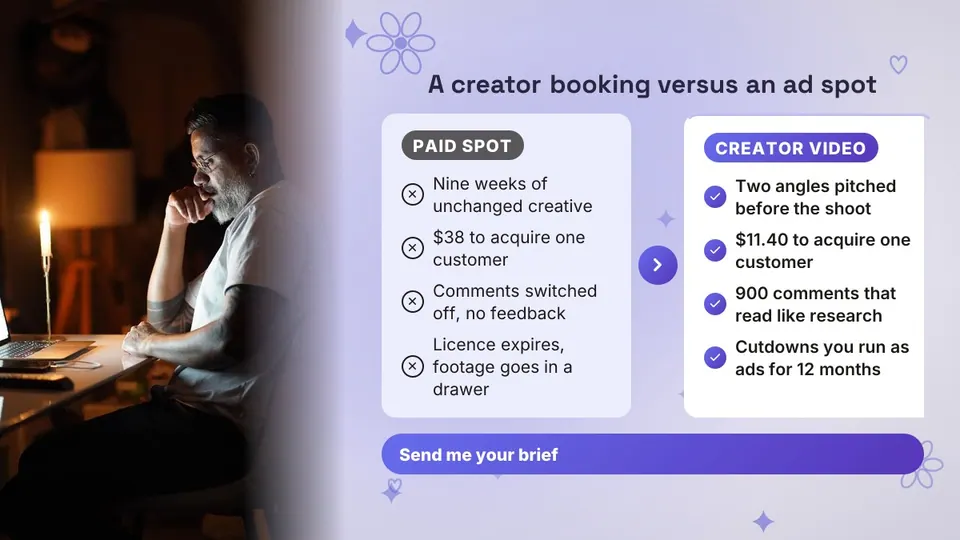
Old way vs working with me
The words-only transformation. Works before you have any photos or charts.
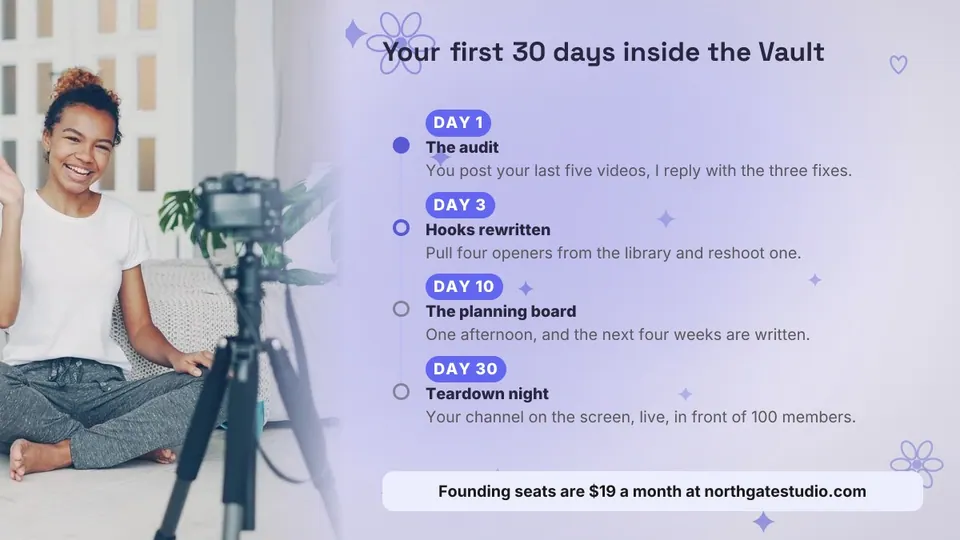
Your first 30 days
Show what happens after somebody buys. Certainty is what closes the sale.
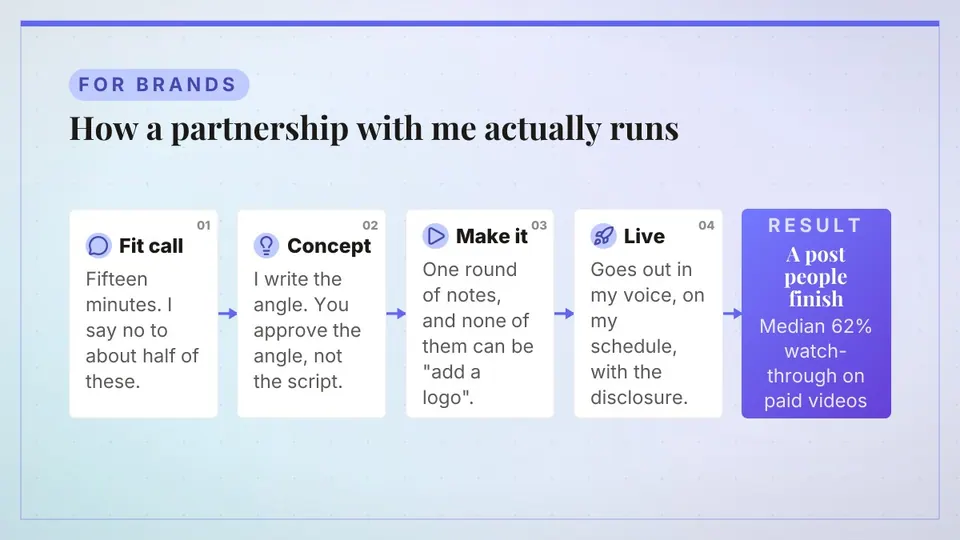
How a brand deal runs
Set expectations with brands before the first call, in one image.
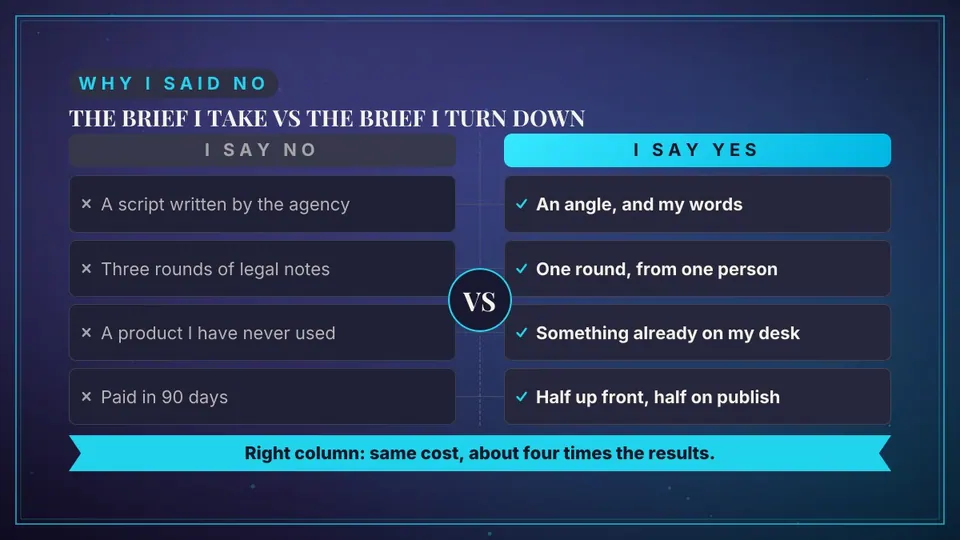
Good deal versus bad deal
Teach brands how to work with you by contrasting the two kinds of brief.
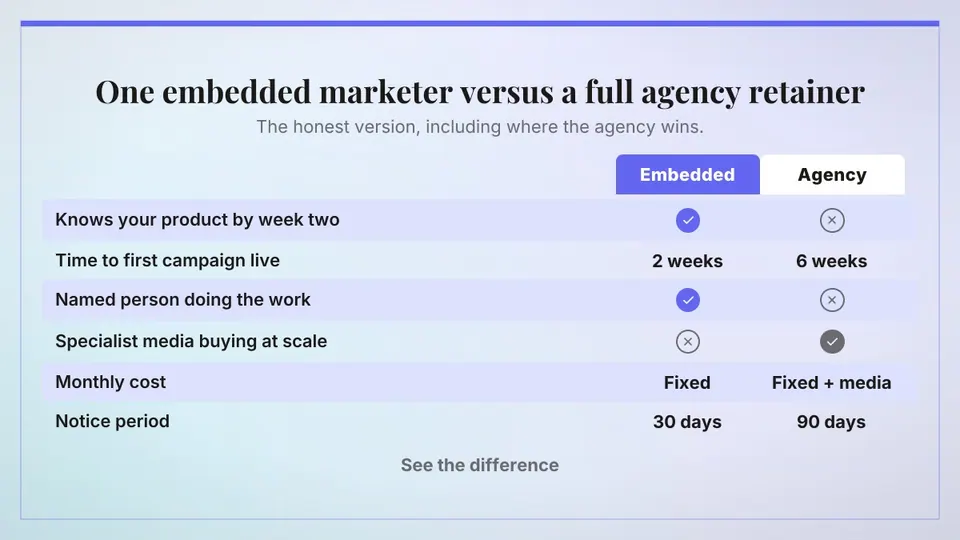
In-house versus agency
A side-by-side that answers the comparison people are already making in their head.
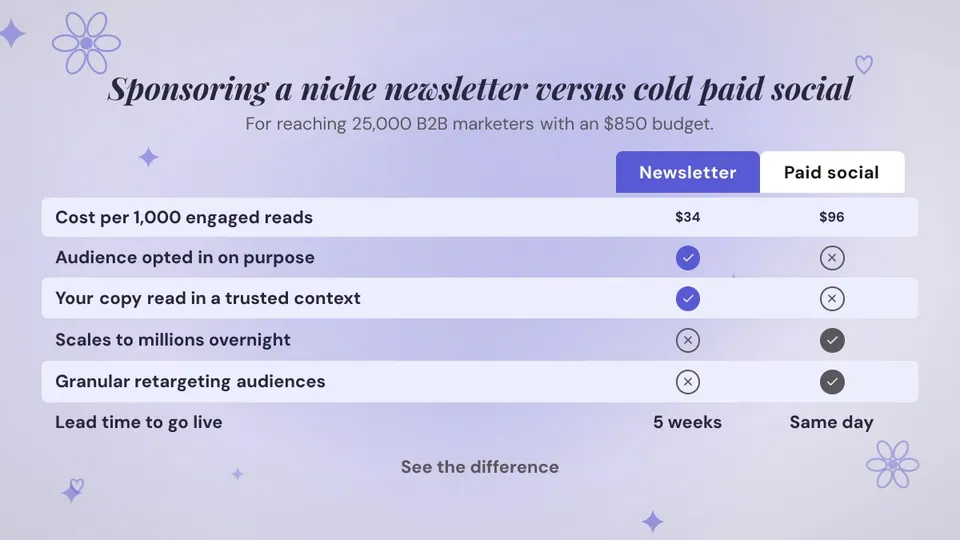
Sponsorship versus ads
Sell the sponsorship by comparing it to the ad budget it replaces.
Why 16:9 for X (Twitter)
Wide is what X shows inline without cropping. It is also the shape a YouTube thumbnail needs, so one design covers both. Pick a design here and the renderer outputs it at 1200 x 675 in your own brand colours, fonts and logo. If you publish the same post to several networks, it re-renders per network rather than posting one crop everywhere.
What X (Twitter) does to your image
- X shows 16:9 inline without cropping, which is why wide is the shape here even though most other feeds reward vertical.
- The same 1200 x 675 frame is what a YouTube thumbnail needs, so one design covers both and a thumbnail can be reused as a post image.
- Timeline images are small until tapped, so a headline that reads at full size can be illegible in the feed. Set type larger than looks right on a desktop preview.
Frequently asked questions
What size should an X (Twitter) post image be?
1200 x 675 pixels (16:9 landscape) is what X shows inline without cropping. It is also the shape a YouTube thumbnail needs, so one design covers both surfaces.
Are these X templates free?
Yes, free to browse and preview with no account. Signing up is only needed to render a template with your own brand colours, logo and copy.
Is there an editable Twitter post template?
Yes. Every template on this page is an editable X (Twitter) post template: free to browse and preview, and once you sign up each one renders with your own colours, logo and copy, with the text layers still editable afterwards.
Do images help posts on X?
Yes for attention, not automatically for reach. An image gives a post more room in the timeline and something to stop a scroll on, but X also rewards posts that start real replies. Treat the image as the hook and the text as the conversation.
Can I reuse this as a YouTube thumbnail?
Yes, which is why the page uses 16:9. A 1200 x 675 design scales cleanly to the 1280 x 720 YouTube expects, so the same artwork works on both.
Use these on your own X (Twitter) account
Add your colours and logo once and all 464 render as yours, at the right size, scheduled and published to X (Twitter) without you opening the app. Publishing is on the free plan. Hands-off auto-publishing, where the scheduled post goes out without you, is included on every plan, inside each plan's monthly publish allowance.
Start for $0Free forever plan, no credit card. Every network is included.